

The employee app on LINE — nothing new to install
Employees do everything from the LINE they already have. Start on the shared OA today or connect your company's own LINE OA, and chat with HR in the same place.
Free for 14 days | No credit card required
- A five-button employee app
- A LINE menu where every button works
- Every request in one place
- Start today on the shared OA
Why LINE?
- Employees don't want another app on their phone
- Announcements in a group chat — no idea who read them
- HR questions end up in HR's personal chats
The employee app opens from the LINE everyone already has — nothing to install, no password to remember.
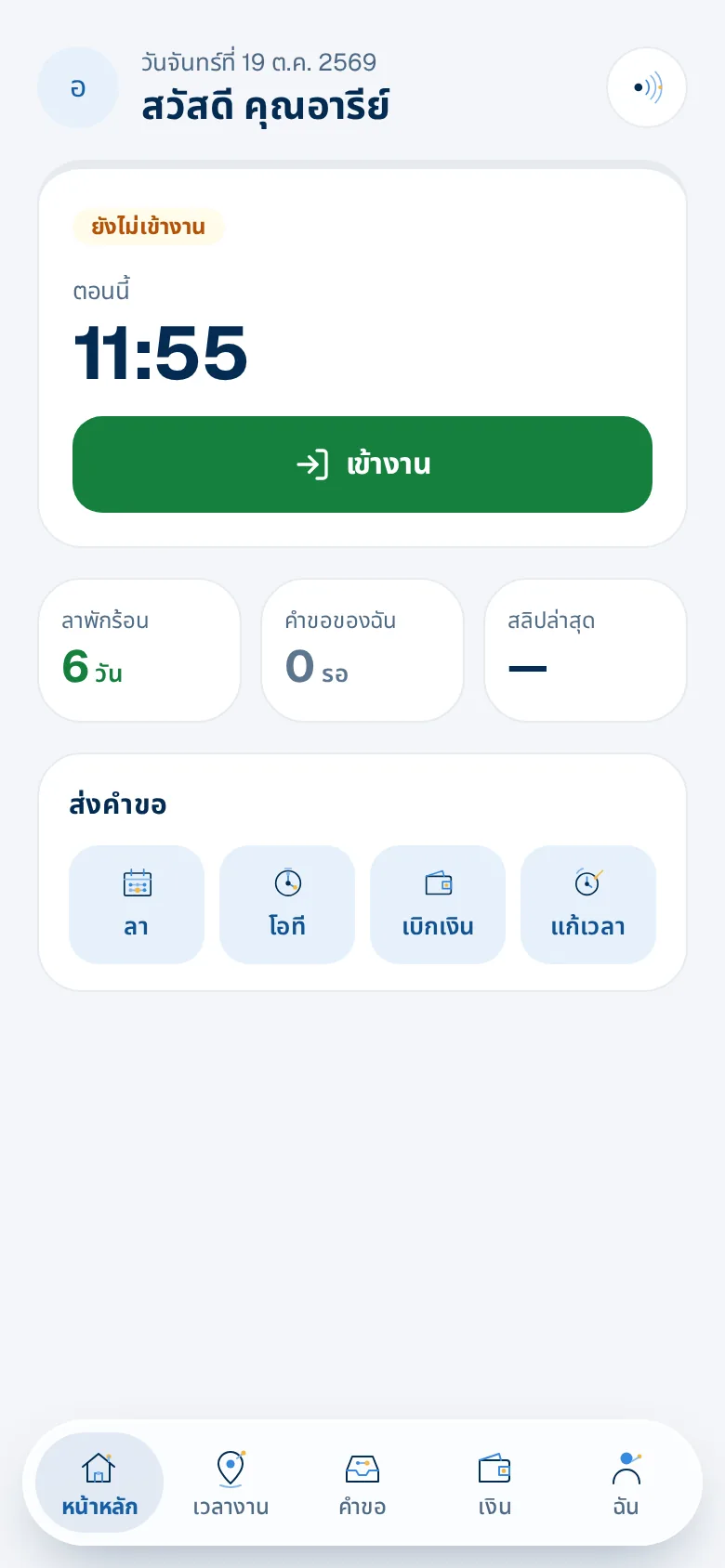
The screen employees open every morning
Check-in button, leave left, requests waiting, favourite shortcuts, company news and a shortcut to ask Next — all on one screen.
- Shortcuts they can rearrange
- Badges on menus with something waiting
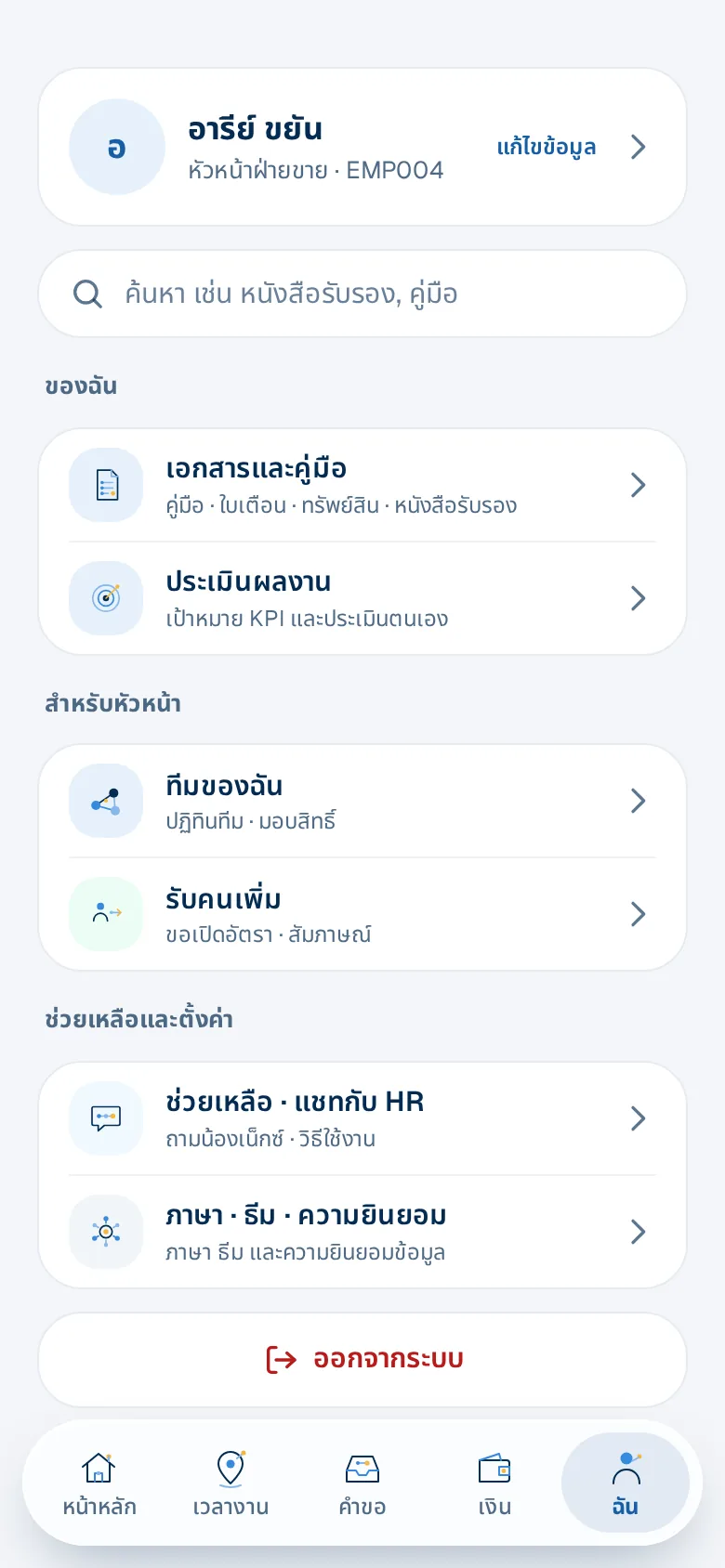
Everything else in one menu
Chat with Next and HR, company announcements, certificates, warning letters, assets they hold and sensitive-data consent.
- Light or dark theme
- Thai or English, chosen by each person
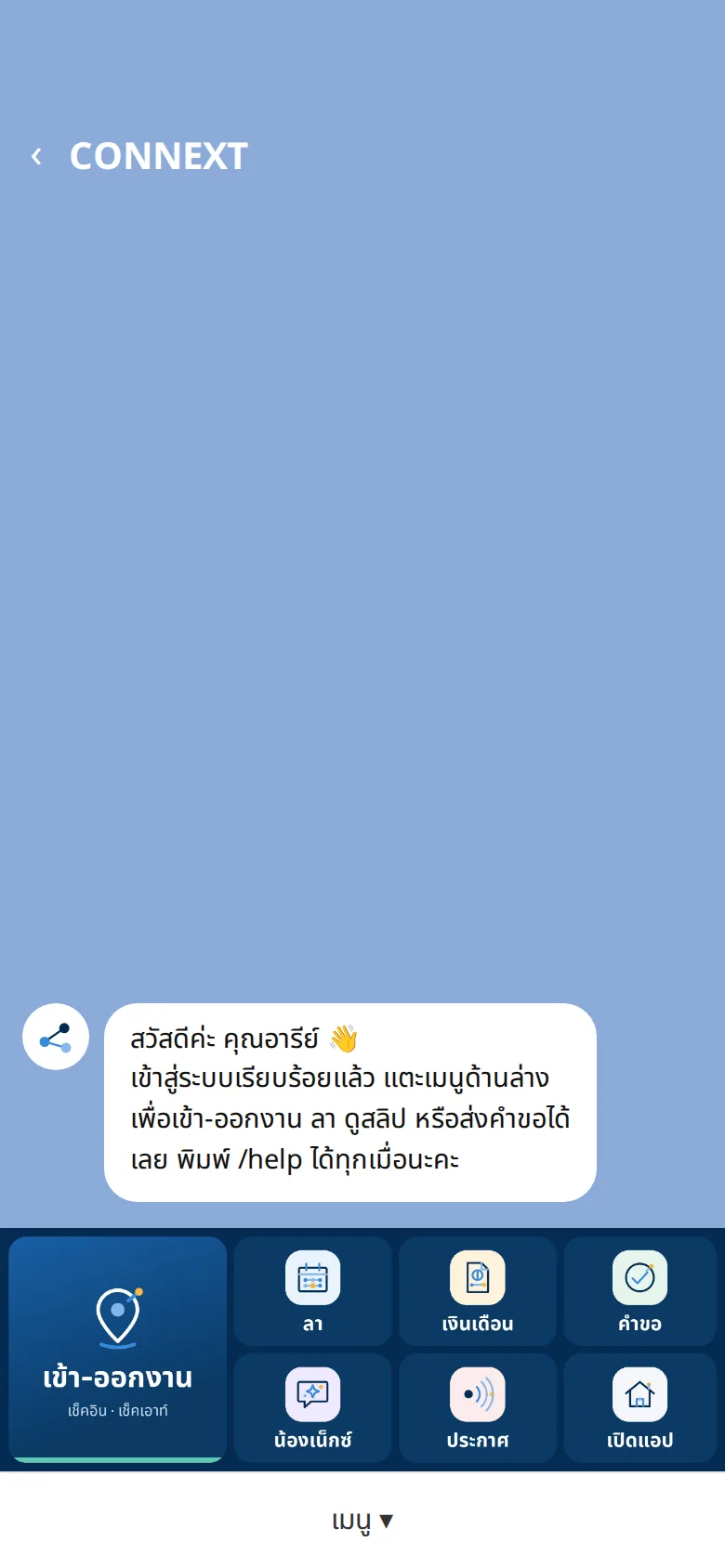
The LINE menu employees use every day
Before signing in they only see log in and help; once signed in, the menu switches to the everyday buttons — the same for everyone.
- One tap to check in, request leave, open a payslip or your requests
- Companies with Next on get a "Next" button
- Companies with their own LINE OA get their logo on the menu
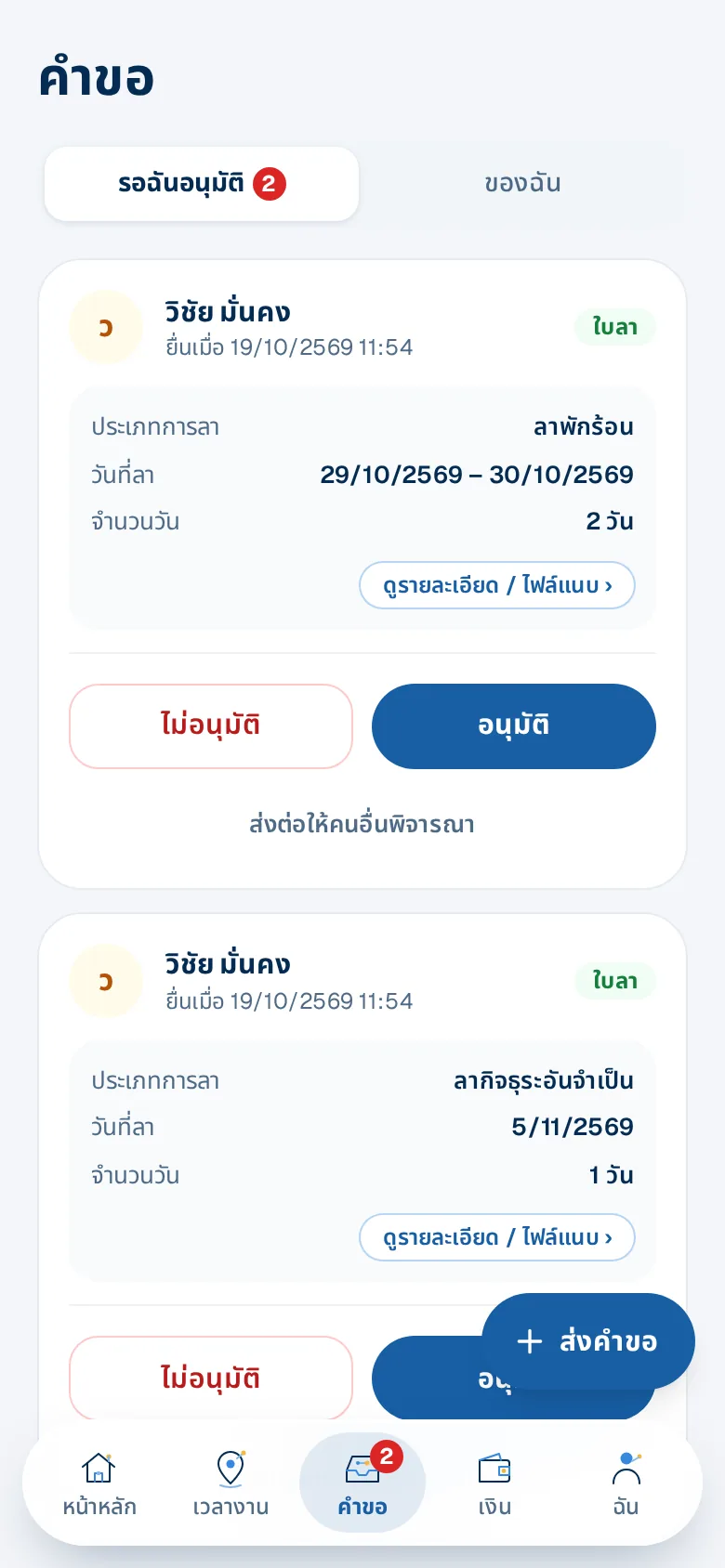
Managers look after their team from LINE
Managers get a "To approve" tab on Requests and a "For managers" group on Me.
- To approve: leave, OT, expenses, time fixes — approve right away
- "Waiting for you" on Home lists what needs doing
- Team calendar and approving on someone's behalf
What you get
A five-button employee app
Home, time, requests, money and me — the same words as the LINE menu, with what is waiting for you on one screen, dark mode and each person's choice of Thai or English.
A LINE menu where every button works
A big check in/out button and icon buttons for leave, payslip, requests, Next, announcements and open app. One tap goes straight there; no menu image to design.
Every request in one place
Leave, OT, time fixes, expenses and certificates all start from one "+ New request" button; managers approve in the "To approve" tab of the same page.
Start today on the shared OA
No LINE setup needed, or connect your own LINE Official Account — the LINE menu is built for you with your company logo.
All employee chats in one inbox
Messages land in the HR team inbox with who replied and who owns each chat; in-app replies use no LINE quota.
Clear notification cards
New requests, approval results and check-in reminders arrive as cards with a button to the right page.
Who gains what
HR
- Talk to employees in a shared team inbox, not personal chats
- Announce to one branch or department and see who hasn't read
Employees
- No app to download, no password
- All HR matters inside the LINE they open every day
Owners
- Start today with the shared OA
- Connect your own LINE OA for your brand when ready
How it works
- 1
Share the invite message
A ready message with the OA and company code to copy.
- 2
Employees add and link
Verify once by email.
- 3
Start using it
Check in, request leave, see payslips and chat with HR on LINE.
Step-by-step guides: LINE: shared OA or your own OA
Frequently asked questions
Do we need our own LINE OA?
No — start on the CONNEXT shared OA right away and connect your own OA later.
What does using our own LINE OA take?
Enter the channel ID, secret and access token in Settings; the webhook is set and the LINE menu is built for you with your company logo — no menu image to design — with a checklist of anything left. Employees tap "Log in" in your OA once, and if LINE can't reach someone yet, important notifications go by email.
What extra do managers see?
The LINE menu is the same for everyone. In the app managers also get the "To approve" tab on Requests and a "For managers" group on Me (team calendar, delegate, hiring requests); requests waiting for them also show in "Waiting for you" on Home.
Can foreign staff use it?
Yes — the employee app and HR web switch to English, and each person chooses their language.
Does chatting use our LINE quota?
Replies within LINE's reply window are free, and chats in the HRConnext app never use LINE quota.
More of HRConnext
 NextAI · NextNext — a personal assistant for everyone in your company
 NextMoveNextMove — move from your old program with one file
 DevConnext APIDevConnext API lets your systems pull HR data themselves — no more files
 DevConnext MCPDevConnext MCP: ask your company's HR data through the AI you use, such as ClaudePeople dataAll your employee data in one place, from first day to lastLaw & PDPAThai labour law and PDPA built in from the start
Ready to connect your people and work on LINE?
14-day free trial, no credit card, cancel any time
Start free trial → Chat with us on LINE →