

Thai labour law and PDPA built in from the start
Payroll is checked against the Labour Protection Act before it runs, and employee data is kept on the right PDPA legal basis everywhere.
Free for 14 days | No credit card required
- Labour-law checks
- Statutory minimum leave
- PDPA consent
- Encrypted, masked sensitive data
How sure are you that it's all legal?
- Not sure deductions and OT pay follow the Labour Protection Act
- ID card copies in a shared drive anyone can open
- No proof employees agreed to their personal data being kept
The system checks labour law before pay is calculated and keeps data on the right PDPA legal basis, with separate consent for sensitive data.
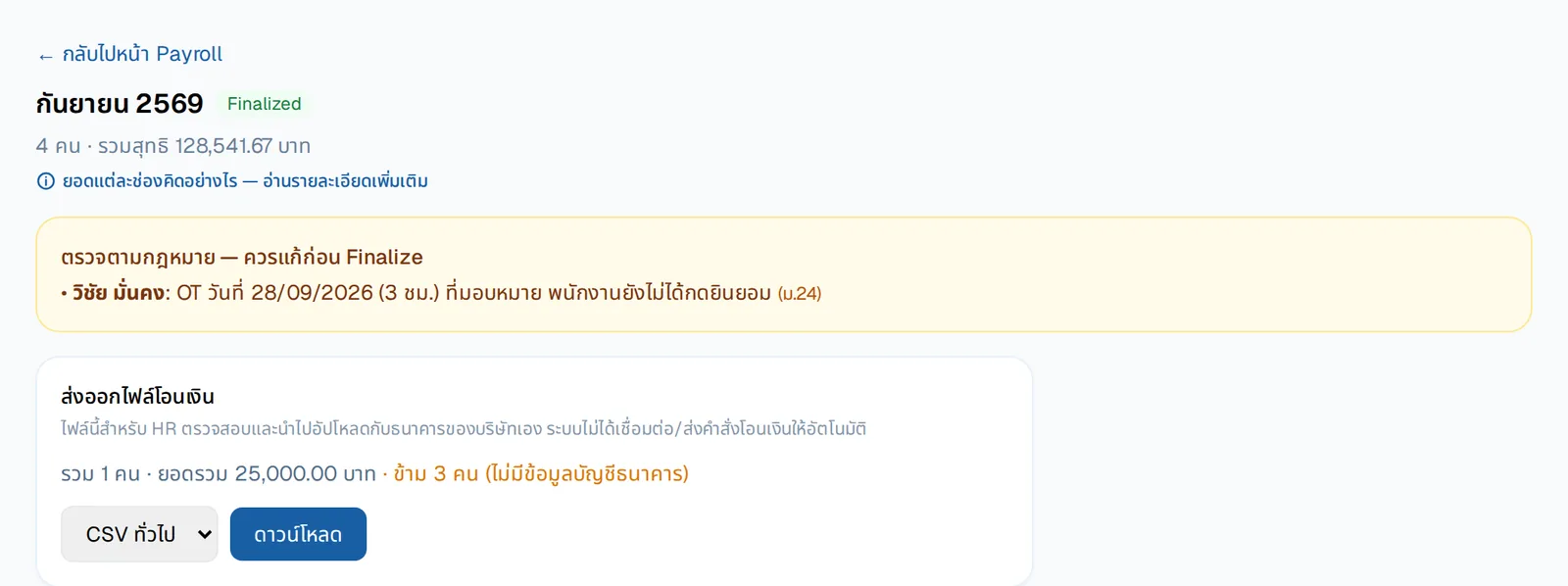
Warned before payday
Items that may break the law — such as OT the employee hasn't agreed to — are shown before the run is closed, with the section cited, so they are fixed before anyone is paid.
- Deductions within legal limits, no fines
- OT capped at 36 hours a week
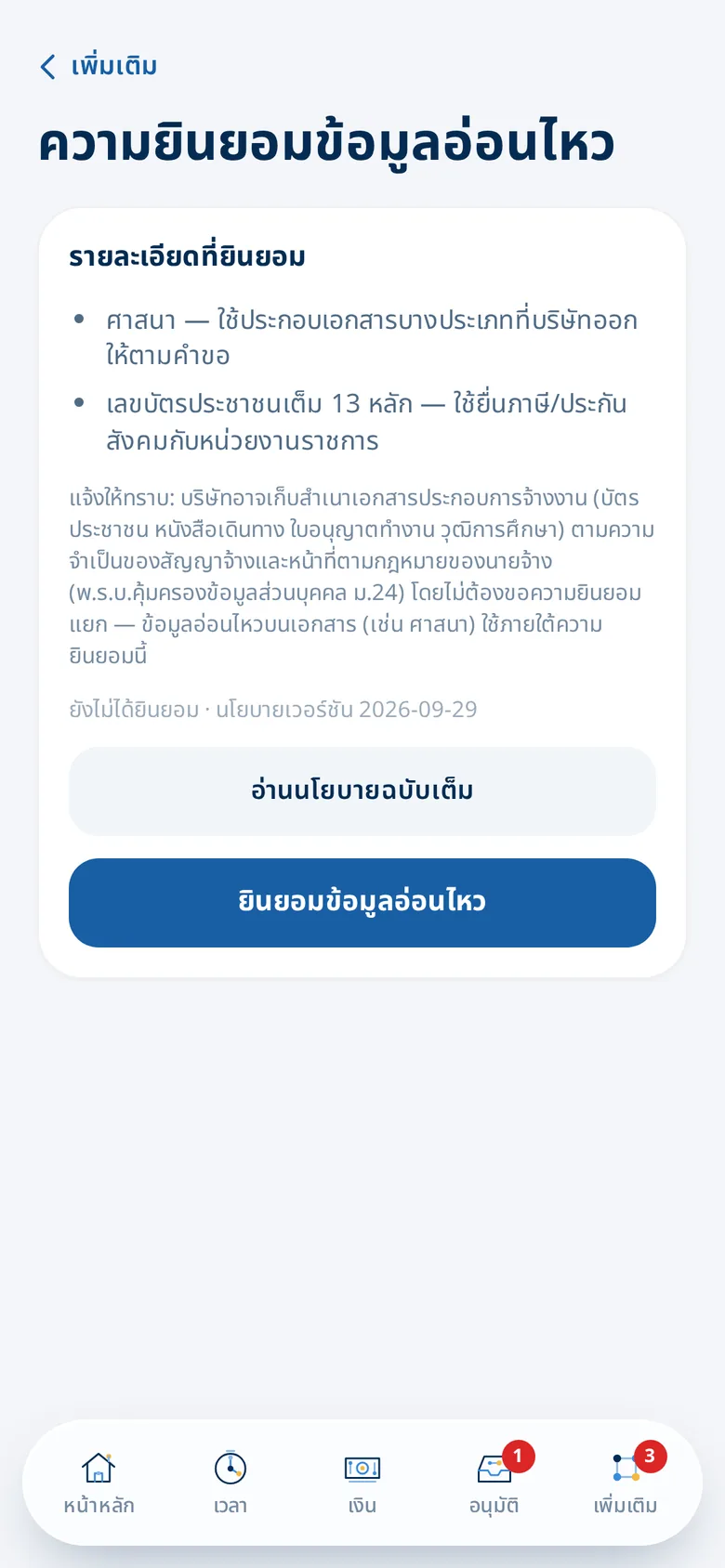
Employees see and manage their own consent
Clear about which sensitive data is kept, why, and under which law — with the full policy always one tap away.
- General and sensitive data kept separate
- The policy version each person agreed to is recorded
What you get
Labour-law checks
Deductions within legal limits, no fines, OT ≤ 36 h/week and working time ≤ 8 h/day.
Statutory minimum leave
Leave types can't go below the legal minimum; daily workers are paid for public holidays and leave.
PDPA consent
Separate consent for general and sensitive data; employees view and manage their own consent.
Encrypted, masked sensitive data
National ID, passport and bank account encrypted separately, shown in full only to authorised roles, every view logged.
Audit trail
Important changes, approvals and document views are recorded and can be reviewed later.
Role-based access
6 built-in roles from Account owner to Executive (view only); pay and ID numbers are separate permissions. On Growth and up, build your own roles and limit them by branch or department.
Who gains what
HR
- Warnings before pay — no need to remember every section
- Approval and change history you can audit
Employees
- Know what their data is used for
- Sensitive data shown partly masked
Owners
- Evidence of PDPA consent
- Role-based access — each person sees only what they need
How it works
- 1
Start from lawful defaults
Leave, OT rates and deductions at no less than the minimum.
- 2
Employees give consent
At first sign-in and whenever the policy changes.
- 3
Always auditable
Approval, change and data-access history.
Frequently asked questions
How does it help with PDPA?
Data the job requires is kept under the employment contract and the employer's legal duties (section 24); sensitive data needs separate consent (section 26), is encrypted and every access is logged; the privacy policy is always available to employees.
What if a setting is below the legal minimum?
Leave and OT defaults start at no less than the legal minimum, and payroll is checked against labour law before you pay.
Where is the data stored?
On HRConnext's servers, with sensitive data encrypted separately and employee documents stored privately.
Can our data mix with another company's?
No. Besides the app filtering by company, the database itself stops one company from seeing or changing another's data, re-checked on every system update.
More of HRConnext
 NextAI · NextNext — a personal assistant for everyone in your company
 NextMoveNextMove — move from your old program with one file
 DevConnext APIDevConnext API lets your systems pull HR data themselves — no more files
 DevConnext MCPDevConnext MCP: ask your company's HR data through the AI you use, such as ClaudePeople dataAll your employee data in one place, from first day to last
Ready to connect your people and work on LINE?
14-day free trial, no credit card, cancel any time
Start free trial → Chat with us on LINE →