

BizConnext › 360Connext › Features › Purchasing & payments
Request, order, receive, pay — with an approver at every step
Purchase requests, purchase orders, goods receipts, supplier bills and payment vouchers, approved within each role’s limit, with separation of duties: whoever creates a document cannot approve it.
- Purchase requests
- Purchase orders
- Goods receipt
- Payment vouchers
- Approval limits
Sound familiar?
- Buying first and asking later — nobody sees it before payment
- A pile of supplier bills and no idea which are paid
- The buyer and the approver are the same person
Every purchase goes through a document approved within a limit, and nobody both creates and approves.
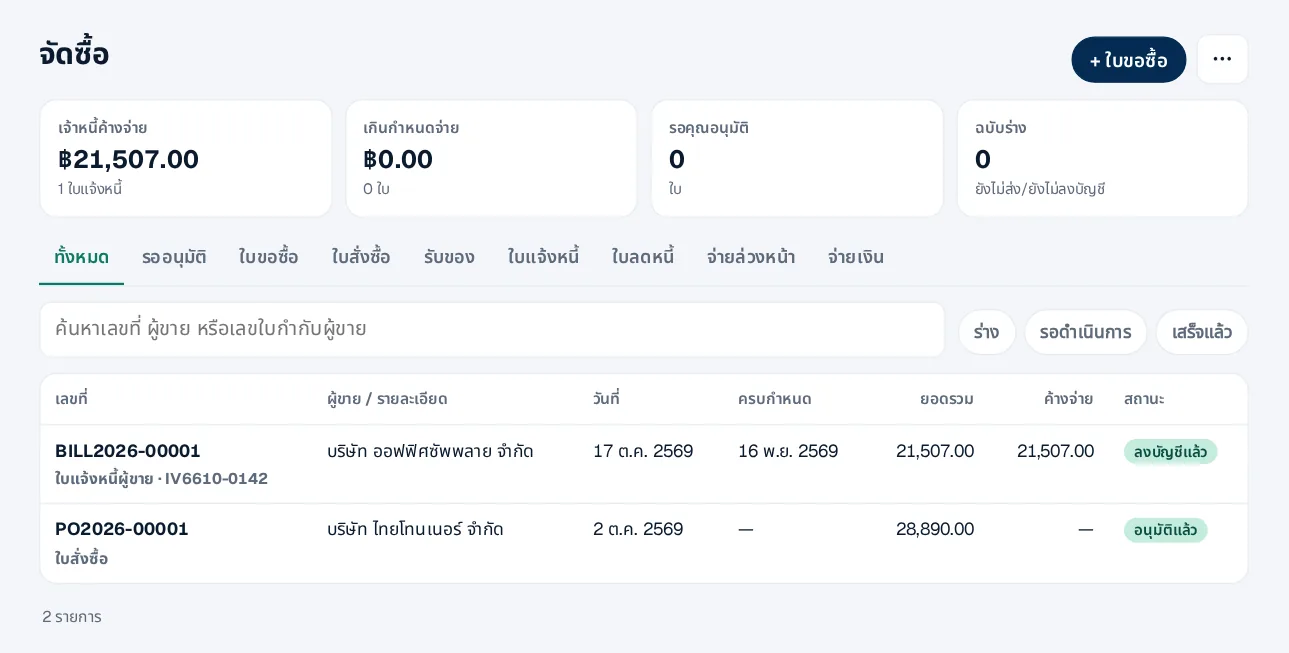
All purchasing at a glance
Requests, orders, supplier bills and payment vouchers with their status: waiting, approved or paid.
- Filter by type and status
- What you owe suppliers
- Open the next document from the last
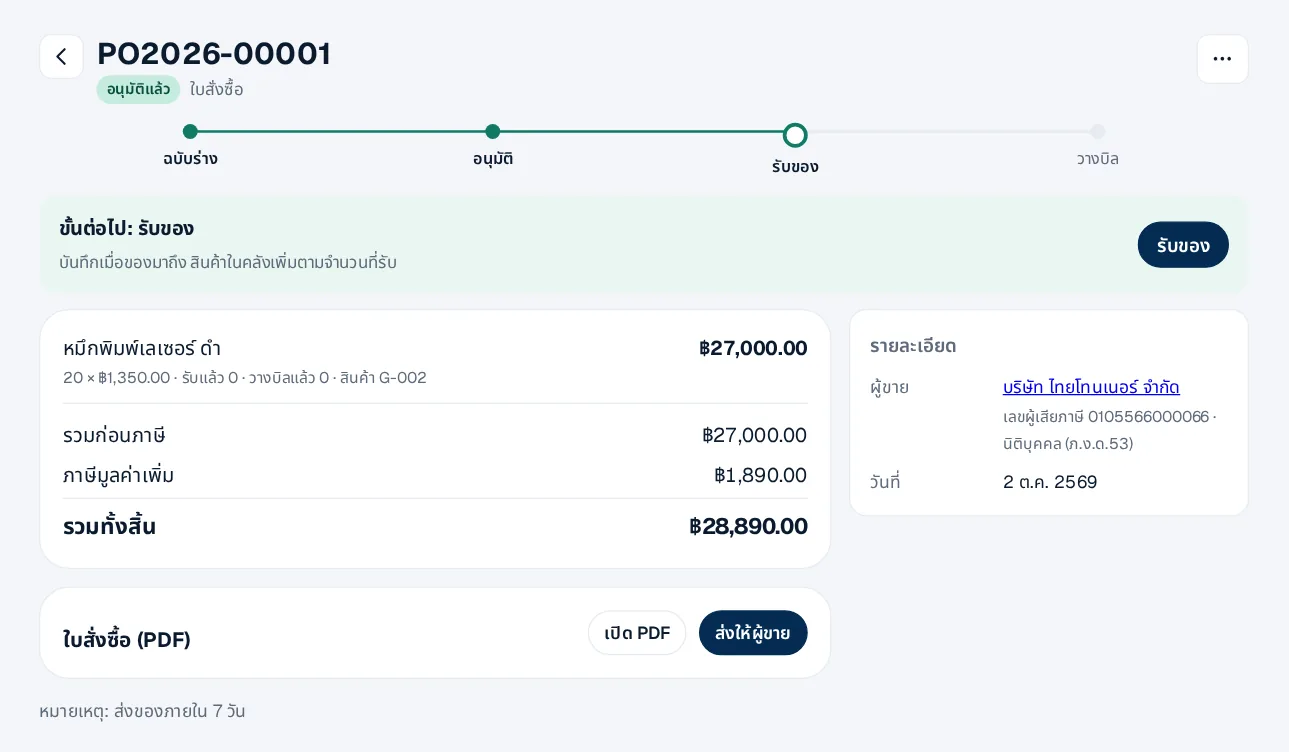
A purchase order ready for the supplier
Once approved, print or e-mail it; when the goods arrive, receive them into stock.
- Approval within the company’s limits
- Only approved orders can be e-mailed
- Approve from LINE
How it works
- 1Set approval limitsHow much each role may approve
- 2Create a request or orderApprovers are notified
- 3Receive, record the bill, payPostings and payables follow
Questions
Can the creator approve their own document?
No. Duties are separated: someone else with a high enough limit approves.
Can I approve on my phone?
Yes, from the card in LINE, with the same limits and separation rules as on the web.
Withholding tax on suppliers?
Set the rate on the line; the system issues the 50 Tawi certificate and includes it in PND.3/53.
More in 360Connext
Get the whole company started today
Sign up with your e-mail, add employees and send everyone the LINE link. Our team helps you set up for free.
Start your 14-day free trial Talk to us
@bizconnext →