

BizConnext › 360Connext › Features › Expense claims
Expenses and claims, with the receipt photo
Record company-paid expenses or employee claims with a receipt photo — or send the receipt in LINE and fill in the amount later. Pick a category once; the system posts it.
- Categories
- Receipt photos
- Receipts by LINE
- Input VAT
Sound familiar?
- Paper receipts lost before they reach accounting
- Unclear which expenses carry reclaimable input VAT
- Posting expenses one by one in the ledger
Snap the receipt into the system right away; the category knows its account and input VAT.
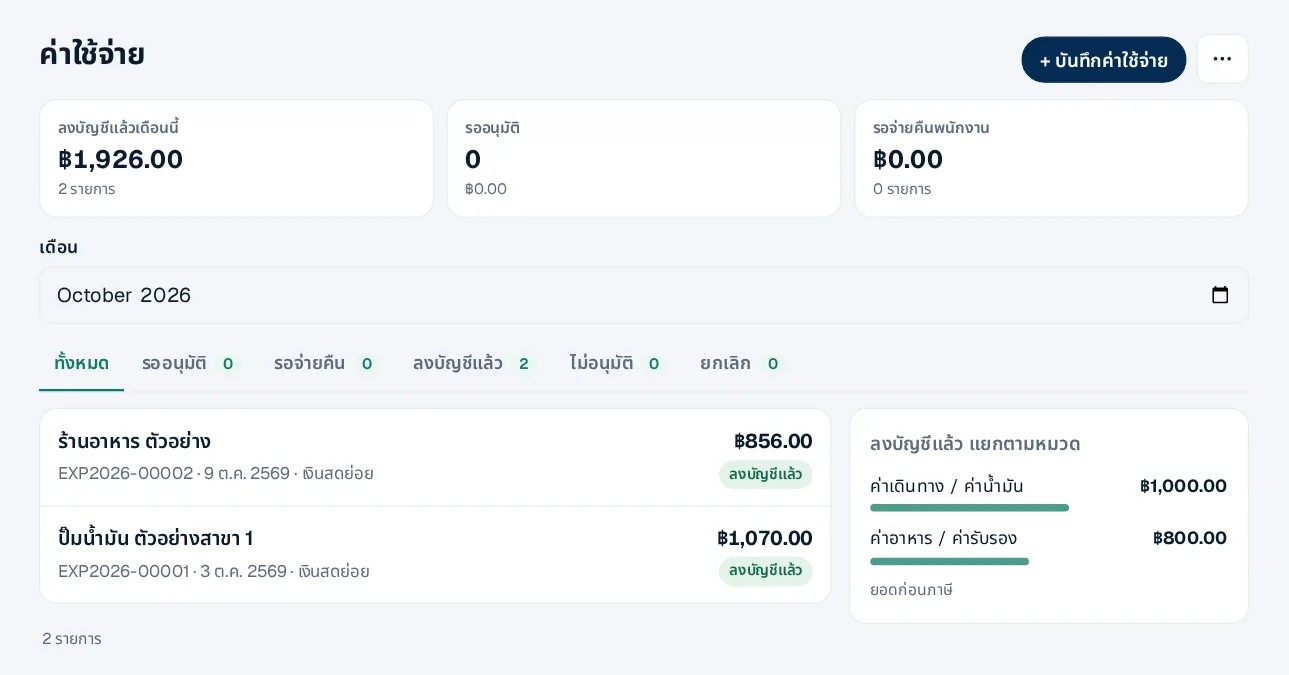
Every expense in one place
Company-paid expenses and employee claims with their status.
- Filter by status
- Your own categories and accounts
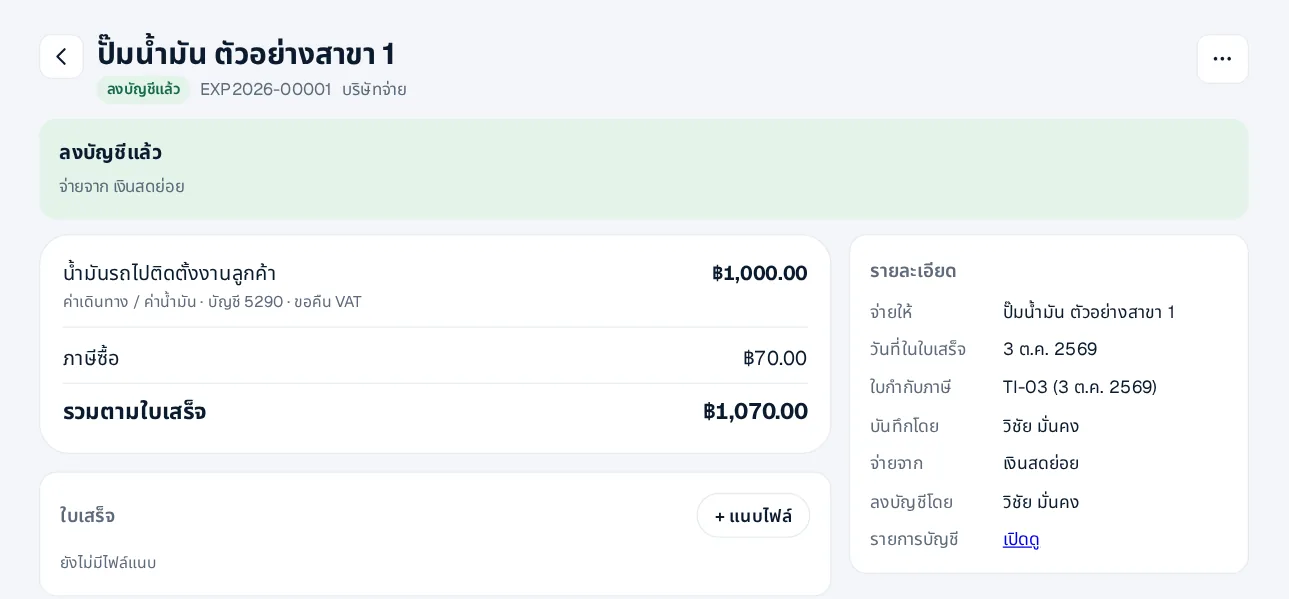
Tax invoice in, input VAT split out
Enter the tax invoice number and date; input VAT goes into that month’s purchase tax report.
- Attach the receipt photo
- Pay from petty cash or a bank account
How it works
- 1Set categoriesDefaults included, adjustable
- 2Record or claim with a photoOn the web or by LINE
- 3Approve and postInput VAT lands in the month’s report
Questions
Can employees send receipts by LINE?
Yes — send the photo in the chat and fill in the amount and category later.
Does it connect to HRConnext claims?
Yes. Once linked, claims approved in HRConnext can be booked in 360Connext by the employee’s department.
Expenses without a tax invoice?
Yes, recorded without input VAT.
More in 360Connext
Get the whole company started today
Sign up with your e-mail, add employees and send everyone the LINE link. Our team helps you set up for free.
Start your 14-day free trial Talk to us
@bizconnext →