

BizConnext › 360Connext › Features › Ledger & statements
Automatic bookkeeping, financial statements any time
Sales, purchases, expenses and bank items post themselves. See profit and loss, the balance sheet and aged receivables / payables, compared with the previous period and by cost centre.
- Thai chart of accounts
- Automatic posting
- Profit & loss
- Balance sheet
- Cost centres
Sound familiar?
- Waiting for the accountant at month end to know if you made money
- Sales and accounting in different programs
- No idea of each department’s profit
Each document posts when issued, so statements are always current; the bookkeeper reviews and closes periods in the same system.
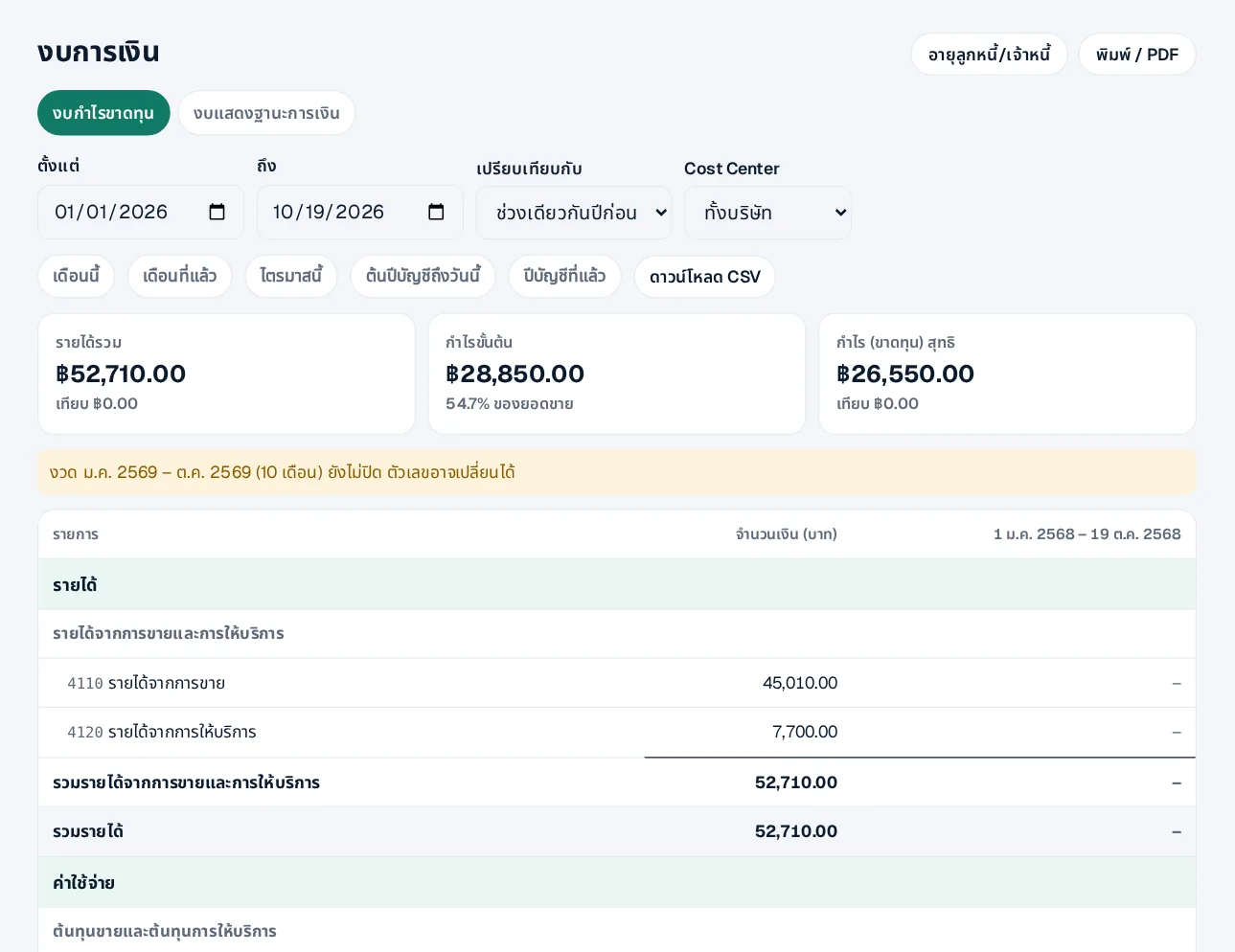
A profit and loss that updates daily
Pick a period, compare with last year, filter by cost centre, download CSV or print PDF.
- Balance sheet
- Clear note when a period is still open
- Shortcuts: this month, quarter, year
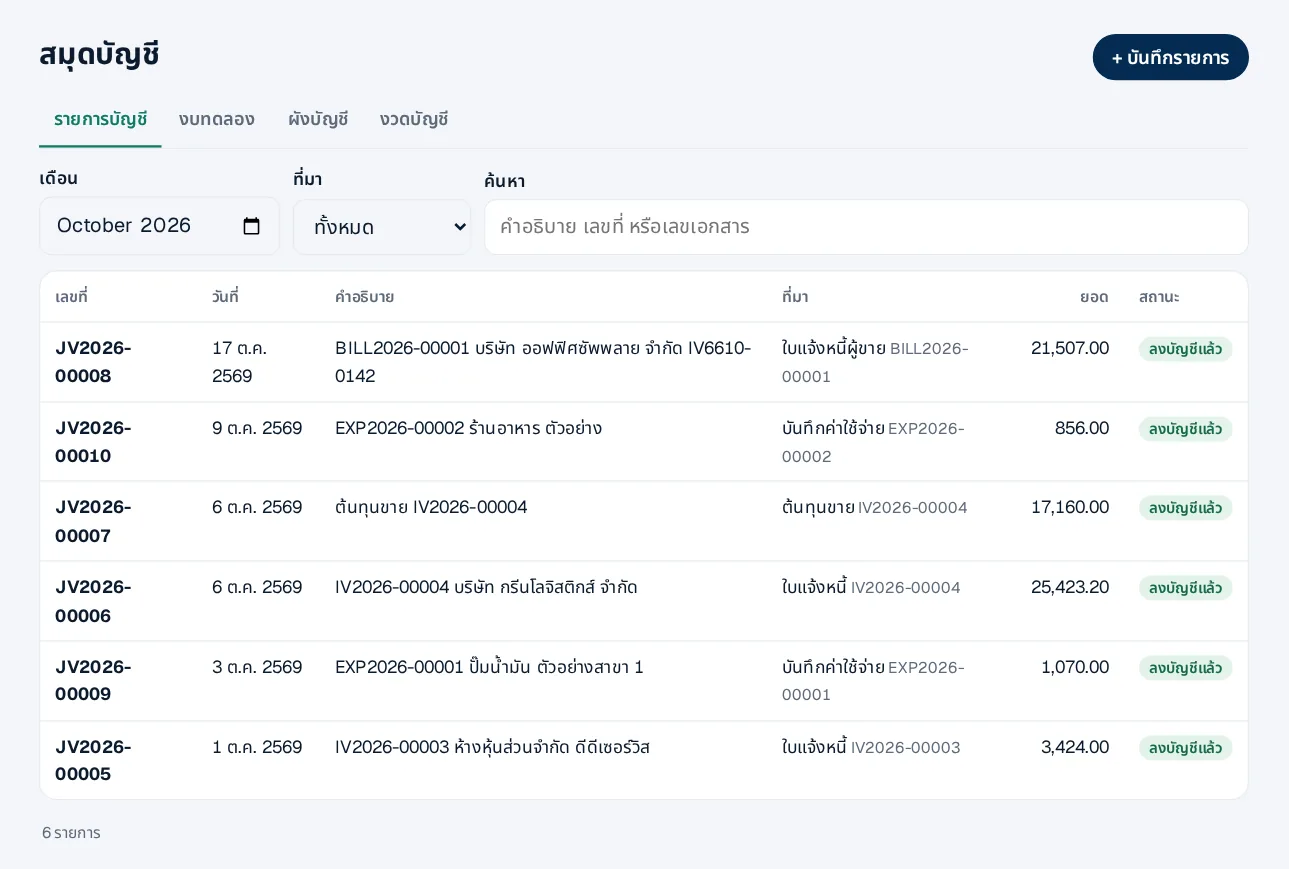
Ledger and journal
Every posting the system made, plus your own adjusting entries.
- Thai chart of accounts ready
- Closed periods cannot be changed
How it works
- 1Use the ready chart of accountsOr adjust it to yours
- 2Sell and buy as usualDocuments post themselves
- 3Review and closeThe bookkeeper closes periods
Questions
Can I file the statements as they are?
They support your bookkeeping; your bookkeeper must review them, and they are not audited statements.
Can my accounting firm work in it?
Yes — invite them with a suitable role such as outside bookkeeper.
Opening balances from my old program?
Yes, with NextMove: master data, opening balances and files from your old program.
More in 360Connext
Get the whole company started today
Sign up with your e-mail, add employees and send everyone the LINE link. Our team helps you set up for free.
Start your 14-day free trial Talk to us
@bizconnext →