

BizConnext › JobsConnext › Features › Careers page
Your company’s careers page, with a link and a QR code
Every open job on one page of your company at jobs.bizconnext.com/c/<company>. Share the link on Facebook or your LINE OA, or print the QR for your branches; applying takes a few minutes.
- Company link
- QR
- Company profile
- Know the source
Sound familiar?
- Job ads scattered across sites and no page of your own
- Resumes arriving by chat and e-mail
- No idea which channel brings real applicants
One page holds every job, every application lands in one system, and a source tag on the link shows where applicants came from.
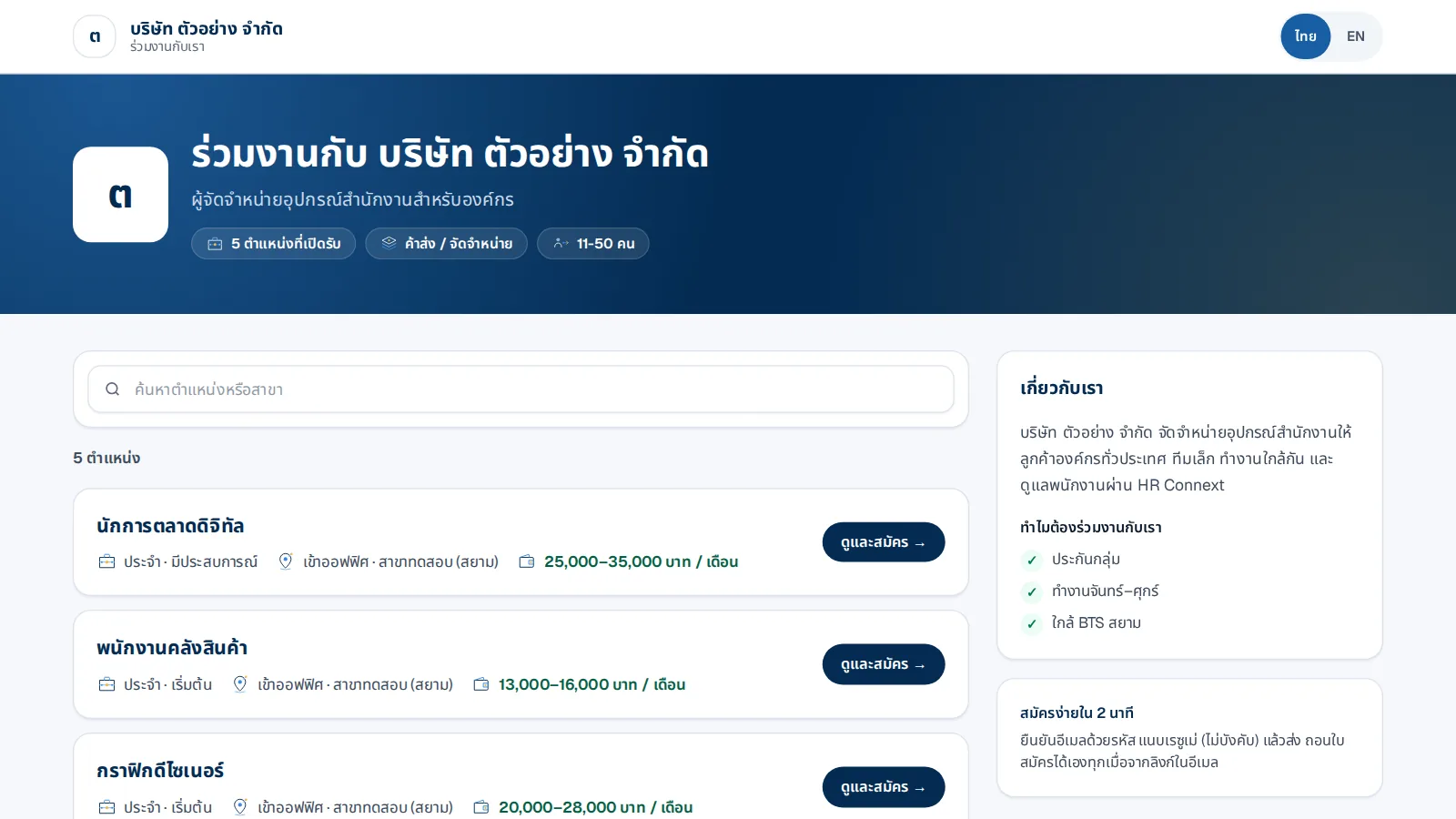
A page of your own
Logo, about us, highlights and every open job with pay and branch; applicants open and apply right away.
- Search jobs or branches
- Thai and English
- Closes itself after the closing date
How it works
- 1Set the link and profileThe link comes from your English name, editable
- 2Publish a jobIt appears on your page at once
- 3Share the link or QRAdd ?src=channel to see the source
Questions
Do applicants need an account?
No. They confirm their e-mail with a code, read the privacy notice, attach a resume, and get a confirmation with a link to withdraw.
Can I change the company link?
Yes; the old link still leads to your page.
Does it check for discriminatory wording?
Yes — wording on sex, age, appearance, status or religion must be fixed before publishing (Labour Protection Act s.15).
More in JobsConnext
Get the whole company started today
Sign up with your e-mail, add employees and send everyone the LINE link. Our team helps you set up for free.
Start your 14-day free trial Talk to us
@bizconnext →