

BizConnext › JobsConnext › Features › Applicants
Applicants from every channel in one system, screened step by step
Applications from your page, the job board and the ones HR adds from JobsDB or walk-ins sit together. Move stages in the list or drag on the Kanban, leave team notes, and message applicants.
- Every channel
- Kanban
- Team notes
- Messages
- Full history
Sound familiar?
- Resumes in several inboxes, nobody knows who talked to whom
- No idea which channel works
- Unsuccessful applicants never hear back
Each application has a stage, source, notes and history the whole team sees, and you message applicants from the same page.
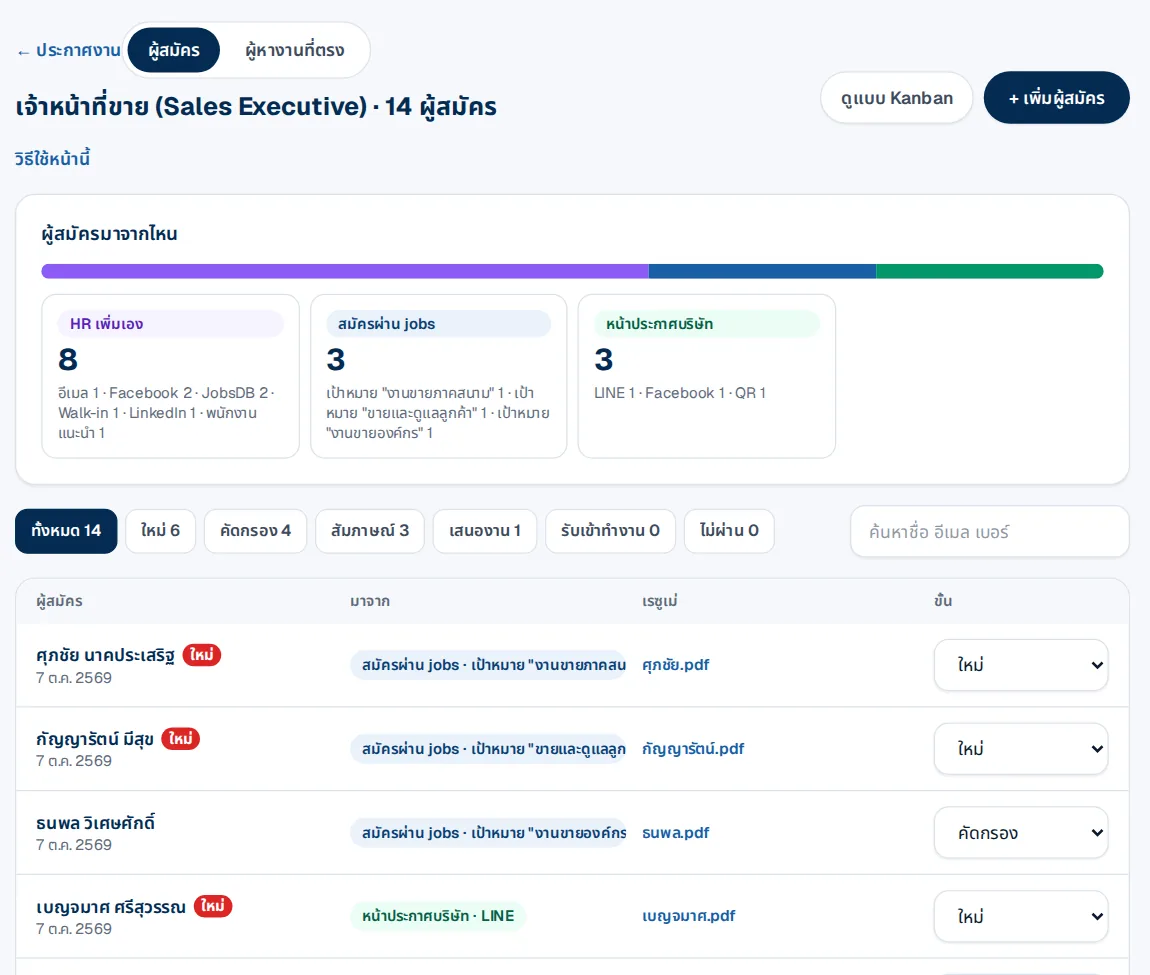
Where applicants come from
A source summary per job: added by HR, applied through the job board, or through your careers page, by channel.
- Filter by stage: new, screening, interview, offer
- Kanban view
- Search by name, e-mail or phone
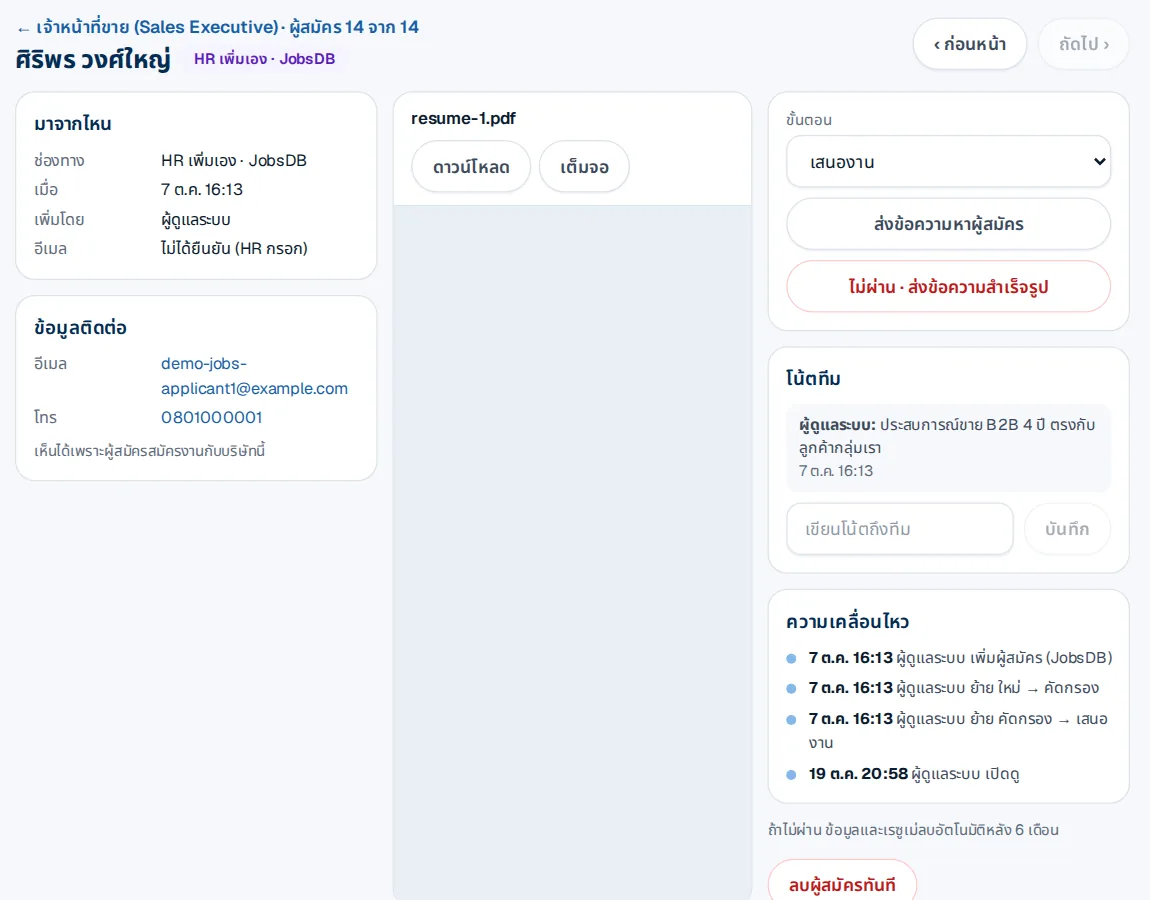
Everything about an applicant on one page
Source, contact, resume, team notes and every stage change.
- Message the applicant, or send a ready rejection message
- Unsuccessful applicants are deleted after 6 months
How it works
- 1Applicants arriveFrom your page, the board, or added by HR
- 2Screen step by stepMove stages, write notes, send messages
- 3Book interviewsFrom the applicant page
Questions
Add applicants from JobsDB or walk-ins?
Yes, one by one or from Excel; the system e-mails them that the company holds their data under the data protection law.
Who sees applicant data?
Only people in the company with recruiting rights, for that hiring only.
How long is data of unsuccessful applicants kept?
Deleted automatically after 6 months, or delete it at once.
More in JobsConnext
Get the whole company started today
Sign up with your e-mail, add employees and send everyone the LINE link. Our team helps you set up for free.
Start your 14-day free trial Talk to us
@bizconnext →