


2. Selling and getting paid
Quotation → invoice / tax invoice → payment → receipt
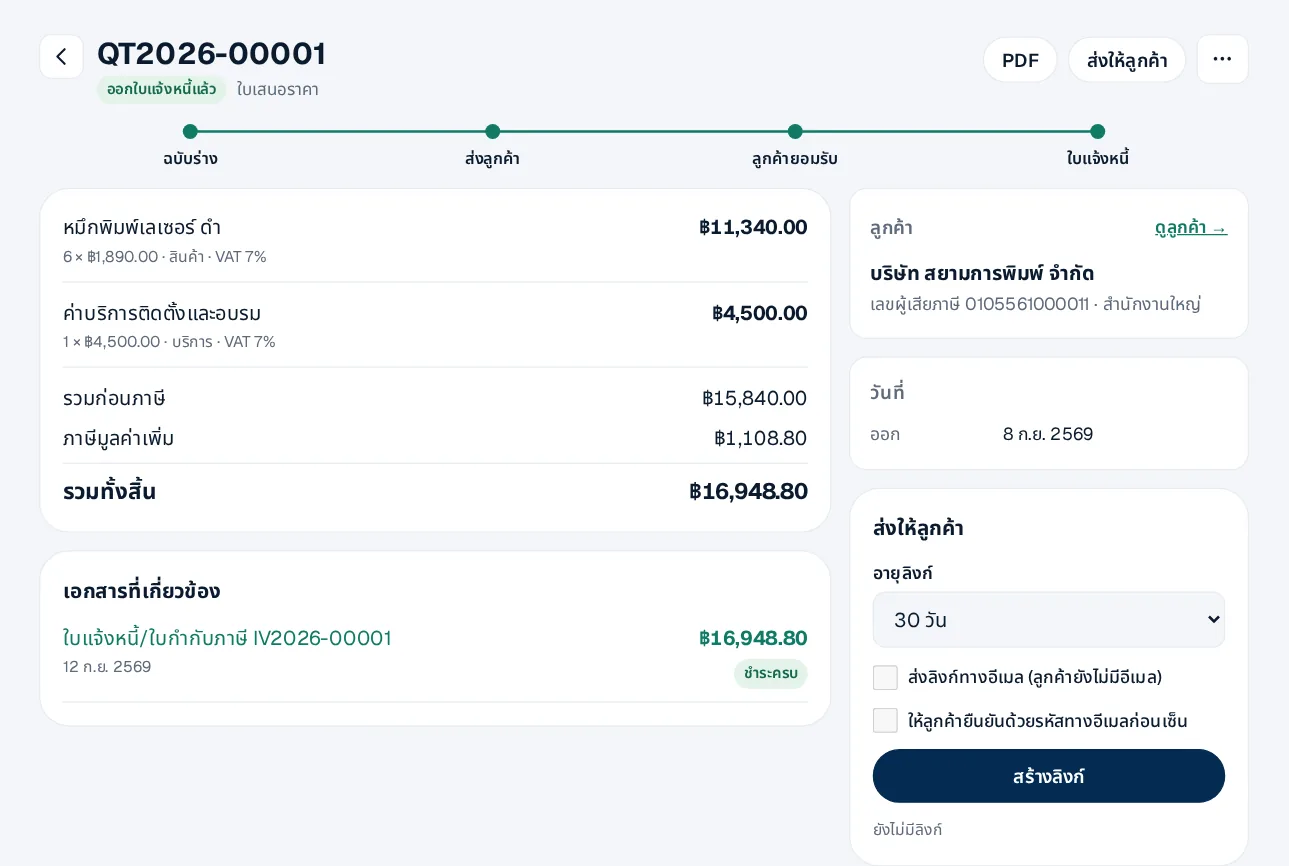
- 1Quotation — Sales documents › quotation: pick the customer and lines; keep it as a draft until it is ready
- 2Send the link — The customer opens it, downloads the PDF and can sign to accept, with no sign-up; optionally confirm with an e-mailed code
- 3Invoice — From an accepted quotation, issue the invoice in one step; lines are copied
- 4Payment — Record payment on the invoice, or several invoices at once from the customer page; the receipt and entries are made for you
- 5Credit / debit notes — From an issued invoice; returned goods go back into stock
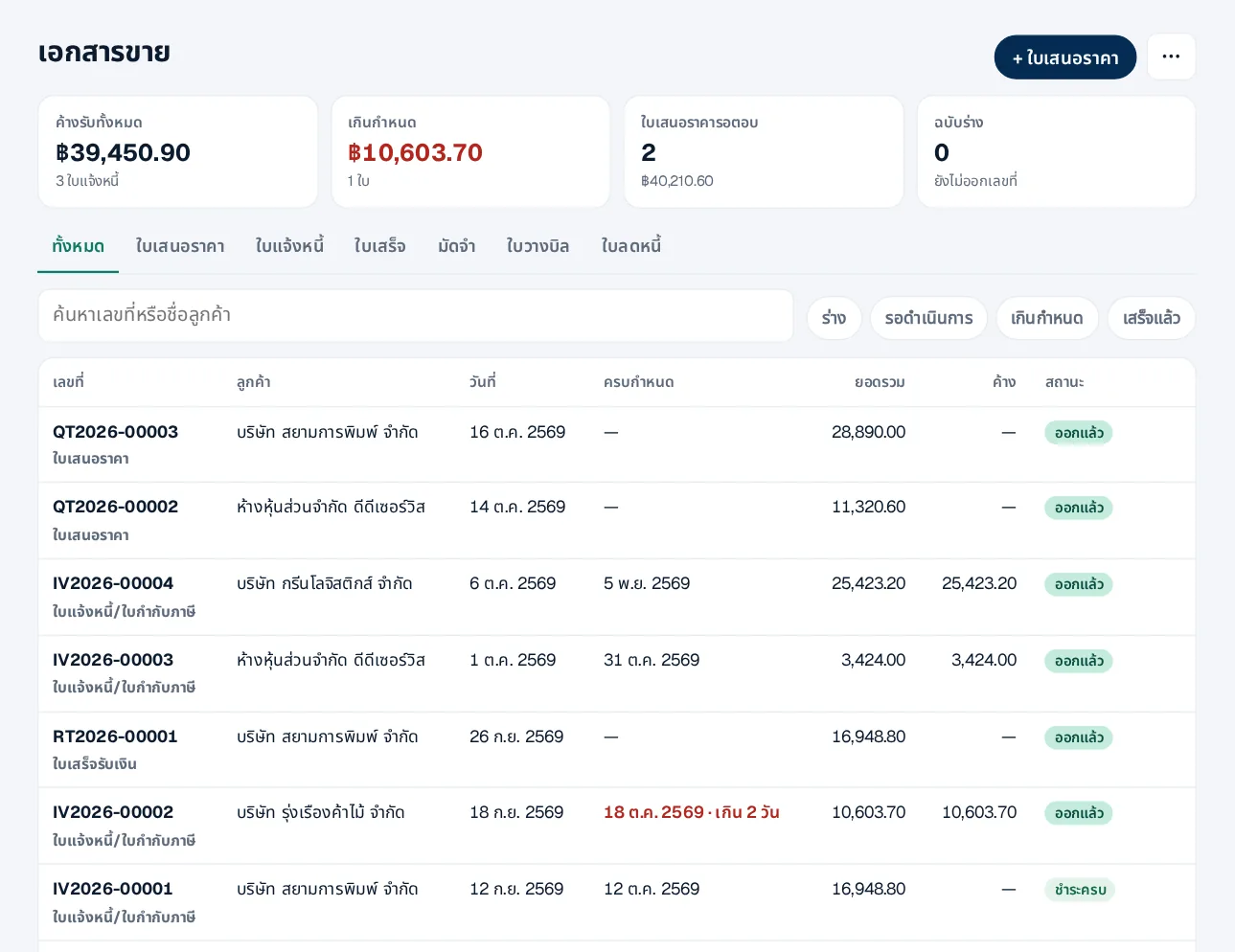
Sales documents shows what is owed, overdue, and quotations awaiting an answer. Documents are PDF and links, not e-Tax Invoices.
 LINE