


7. Inventory
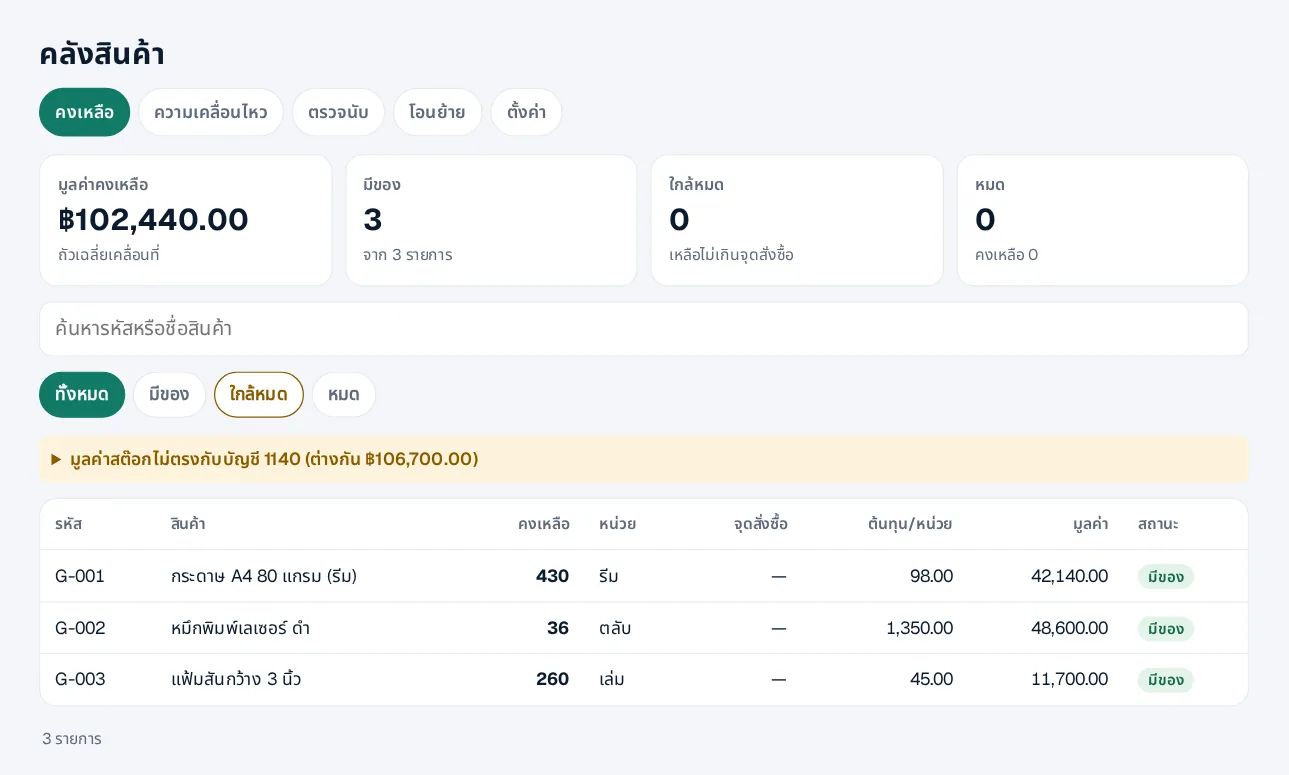
Stock and cost that match the books
- 1Turn on inventory — Settings › Inventory: average or FIFO cost, and warehouses
- 2Opening balances — Quantity and cost of each item
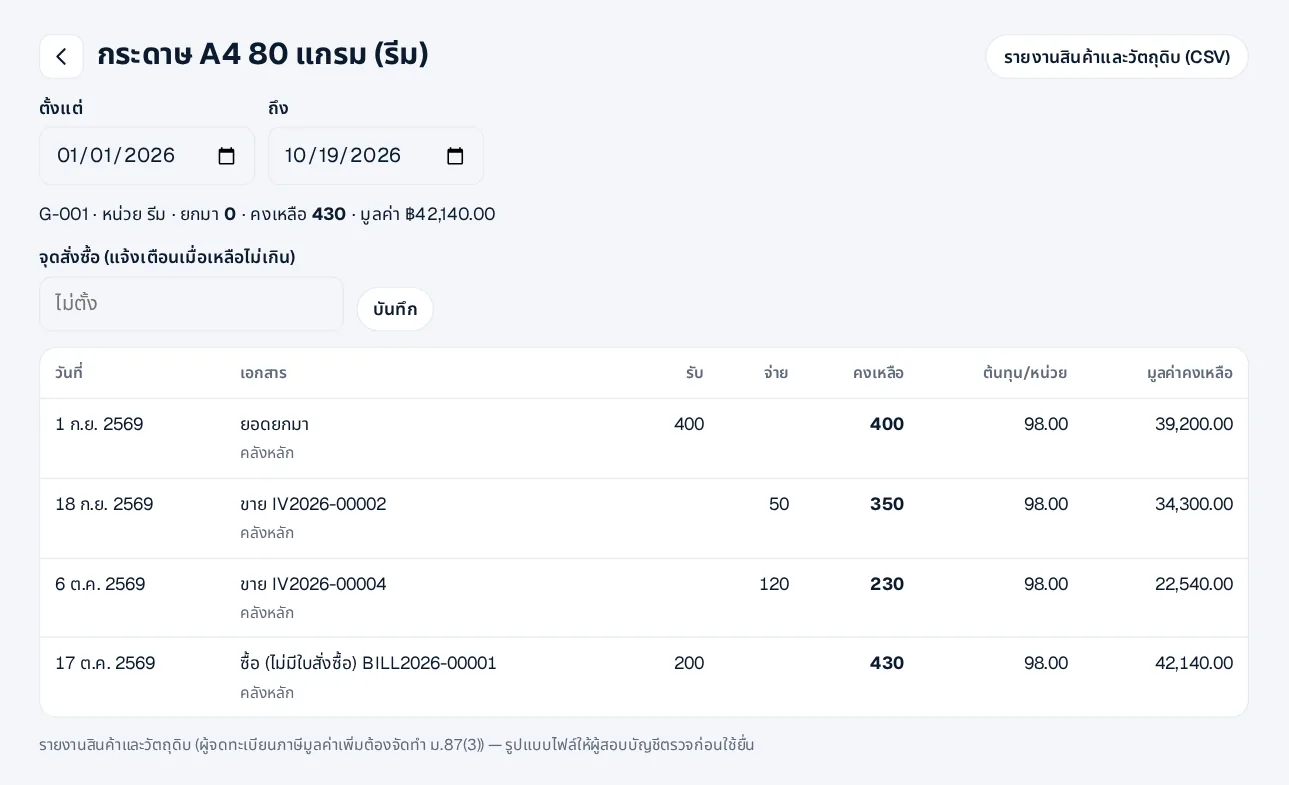
- 3Sell and buy as usual — Sales reduce stock and post cost of sales; receipts add stock
- 4Stock counts — Create a count; someone else approves it (the counter cannot); stock and books adjust
- 5Transfers — Move items between warehouses
The cost method can change until the first stock movement, then it is locked. Movements cannot be dated before the latest one.
 LINE