4. Expenses and claims
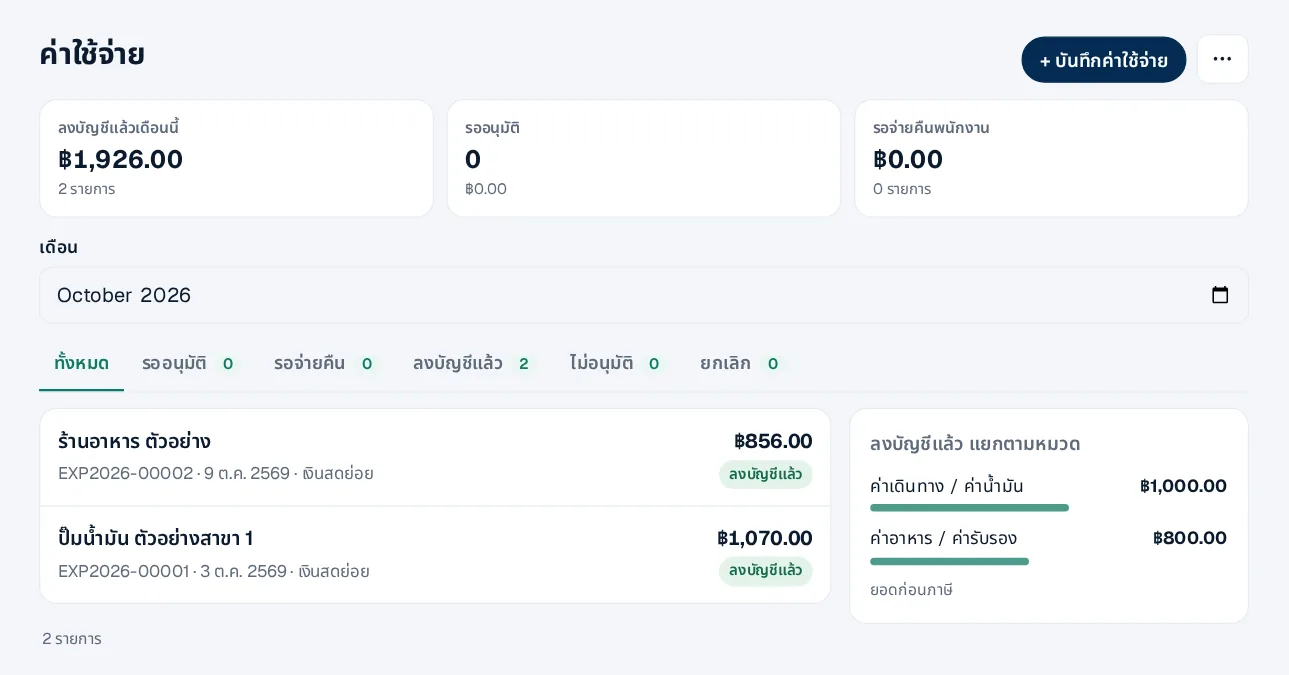
Company expenses or employee claims, with receipt photos
- 1Categories — Expenses › categories; defaults are ready, each tied to an account
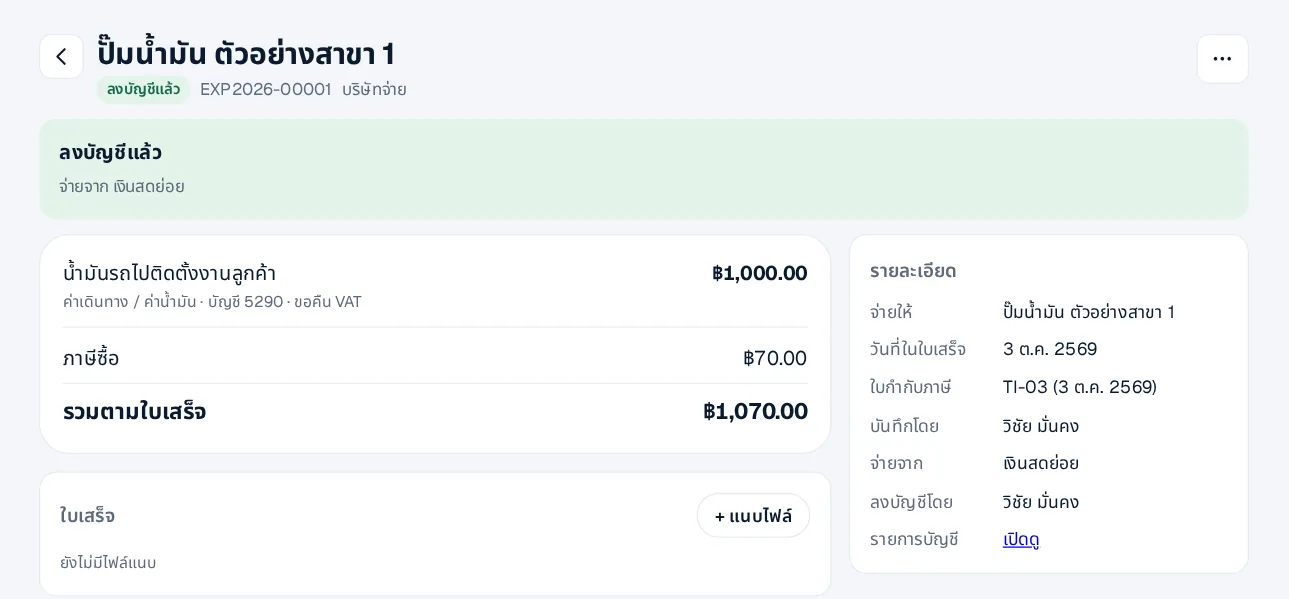
- 2Record or claim — Pick a category, the amount and the receipt photo, or send the photo in LINE and fill in later
- 3Input VAT — With a tax invoice, add its number and date; input VAT goes into that month’s report
- 4Approve and reimburse — The approver checks the receipt; accounts transfers the money and records it
 LINE
Expenses without a tax invoice are recorded without input VAT. Claims approved in HRConnext appear under Claims from HR.