


3. Your team, and reports for clients
Everyone sees only their clients; reports go out as links
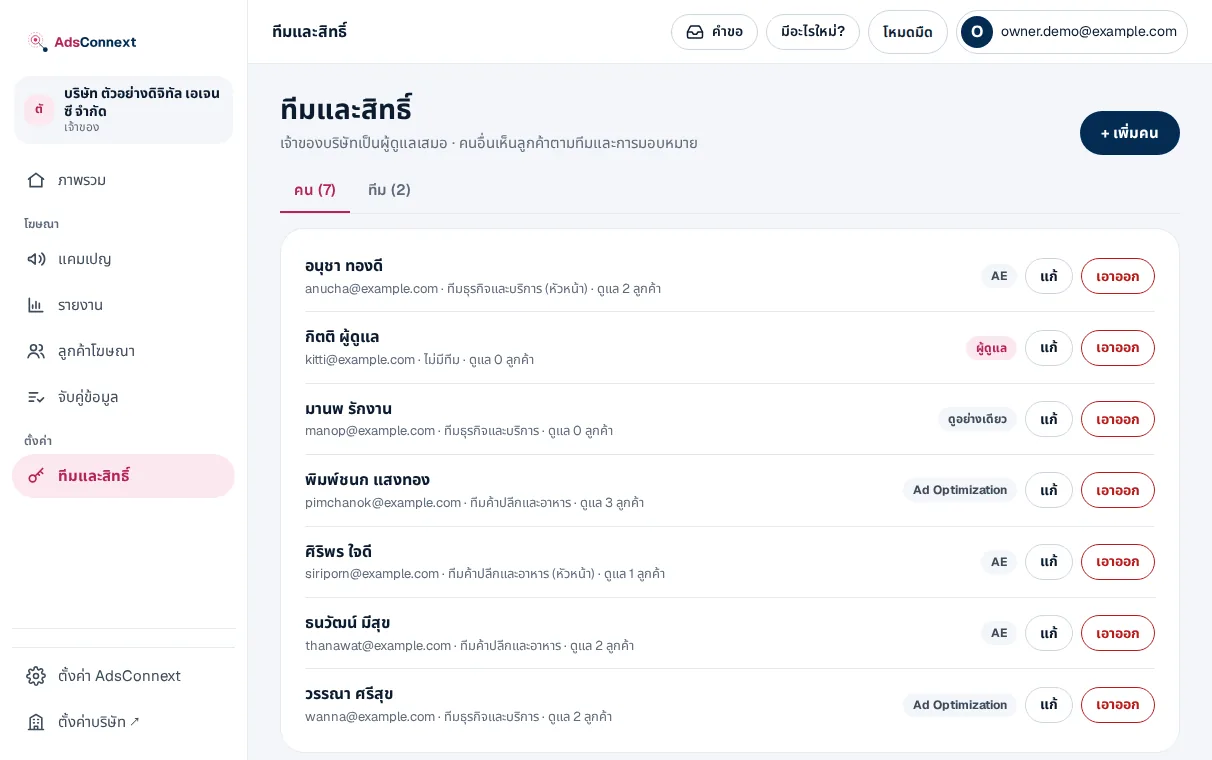
- 1Add people and roles — Menu Teams and access › Add: pick from your company’s people and choose admin, AE, Ad Optimization or view-only
- 2Make teams, assign clients — Make a team, set its head, then put the team, an AE and Optimization on each client in Clients
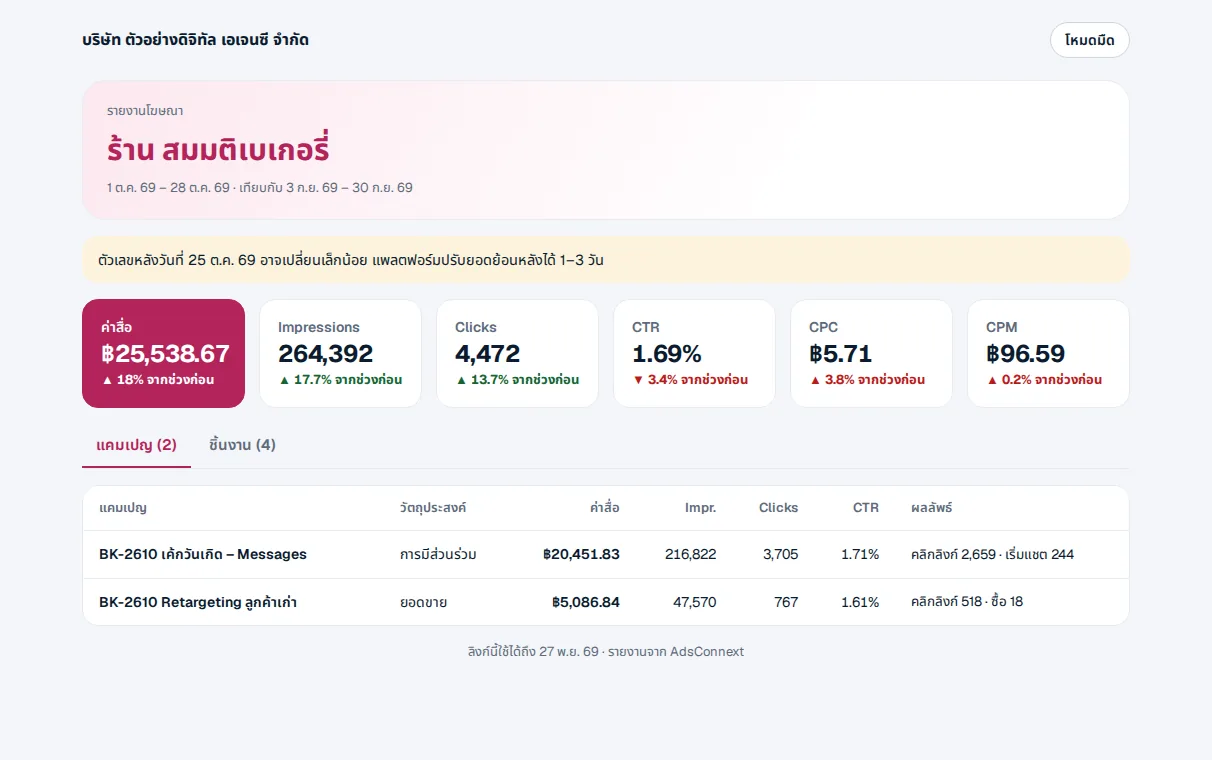
- 3Share a report — Menu Report, choose the client › Share: set a PIN, an end date, hide spend if you like
- 4Revoke a link — See and revoke them under Shared links on the Report page
The company owner is always an admin; every package has an unlimited team.
 LINE