


1. Start with AdsConnext
Turn it on, then connect Meta Ads once
- 1Turn AdsConnext on at account.bizconnext.com — Services › AdsConnext — 14 days free, no credit card, no 360Connext needed
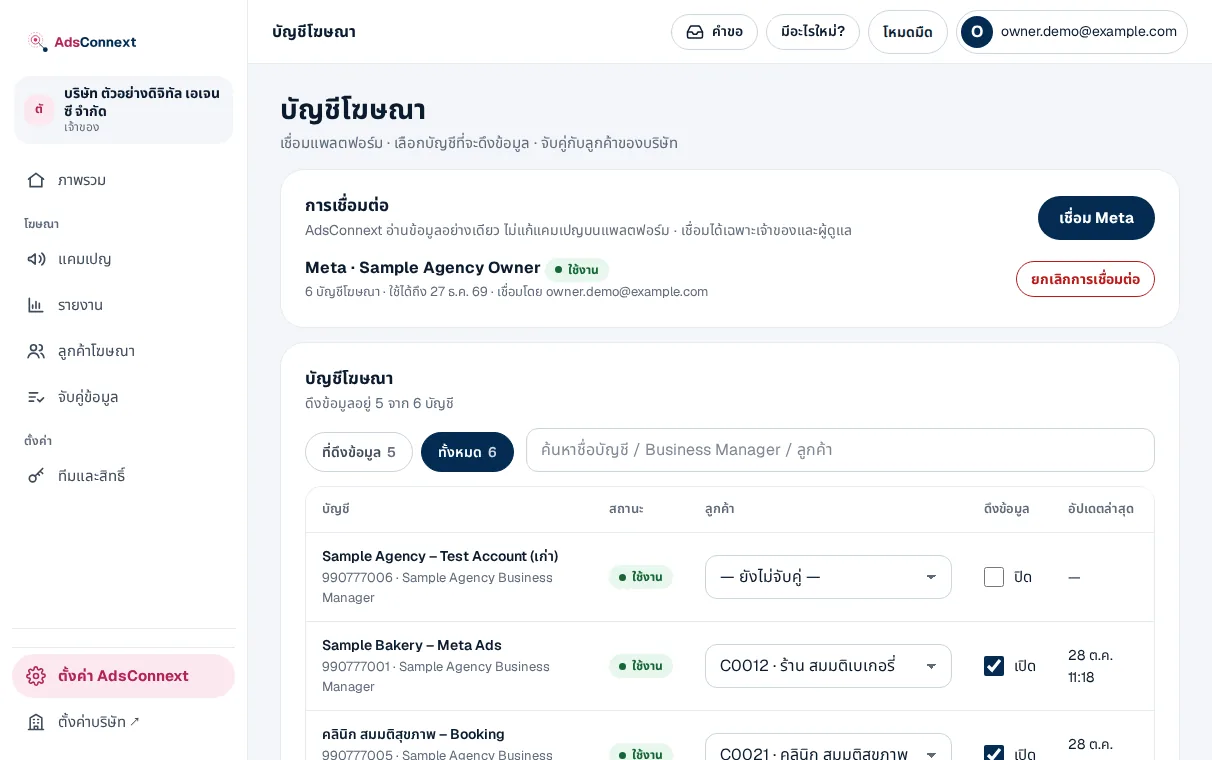
- 2Connect Meta — Menu Ad accounts › Connect Meta, then sign in with the Facebook account that runs your ads and allow read access
- 3Choose accounts to pull — Switch on the accounts you want with 1, 3 or 13 months of history · 3 accounts during the trial
- 4Data comes in — History first, then every hour; the status shows on the same page
AdsConnext asks for read-only access; it never edits campaigns or spends for you.
 LINE