


2. Link clients and CAMCODEs
So numbers split by client correctly
- 1Add clients at the account — The client list comes from account › Customers (the same as 360Connext) · the app has an “add at account” button
- 2Link accounts to clients — Menu Ad accounts: pick the client of each account when one account serves one client
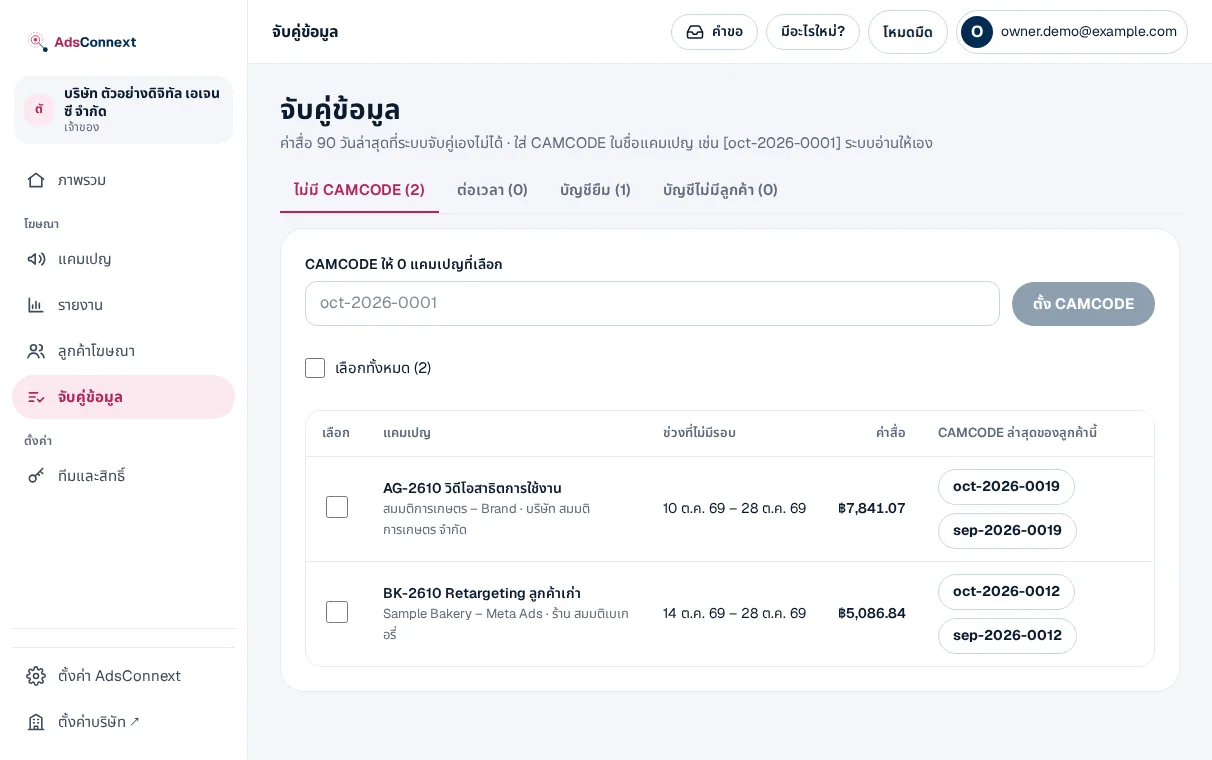
- 3Put CAMCODEs in campaign names — For accounts serving several clients, put the client’s CAMCODE in the name, e.g. oct-2026-0012; a new code starts a new round from that day
- 4Clear the matching queue — Campaigns not matched yet wait in Matching, with a suggested client
The code in the name wins over the account: from a borrowed account, numbers go to the coded client.
 LINE